
The repetitive work, handled quietly.
We connect the tools you already use so follow-ups, data entry, handoffs and reports happen on their own, accurately, every time.
- Works with your current tools
- Monitored, with fallbacks
- Starts with the biggest time savers
Small manual tasks add up to a full-time job.
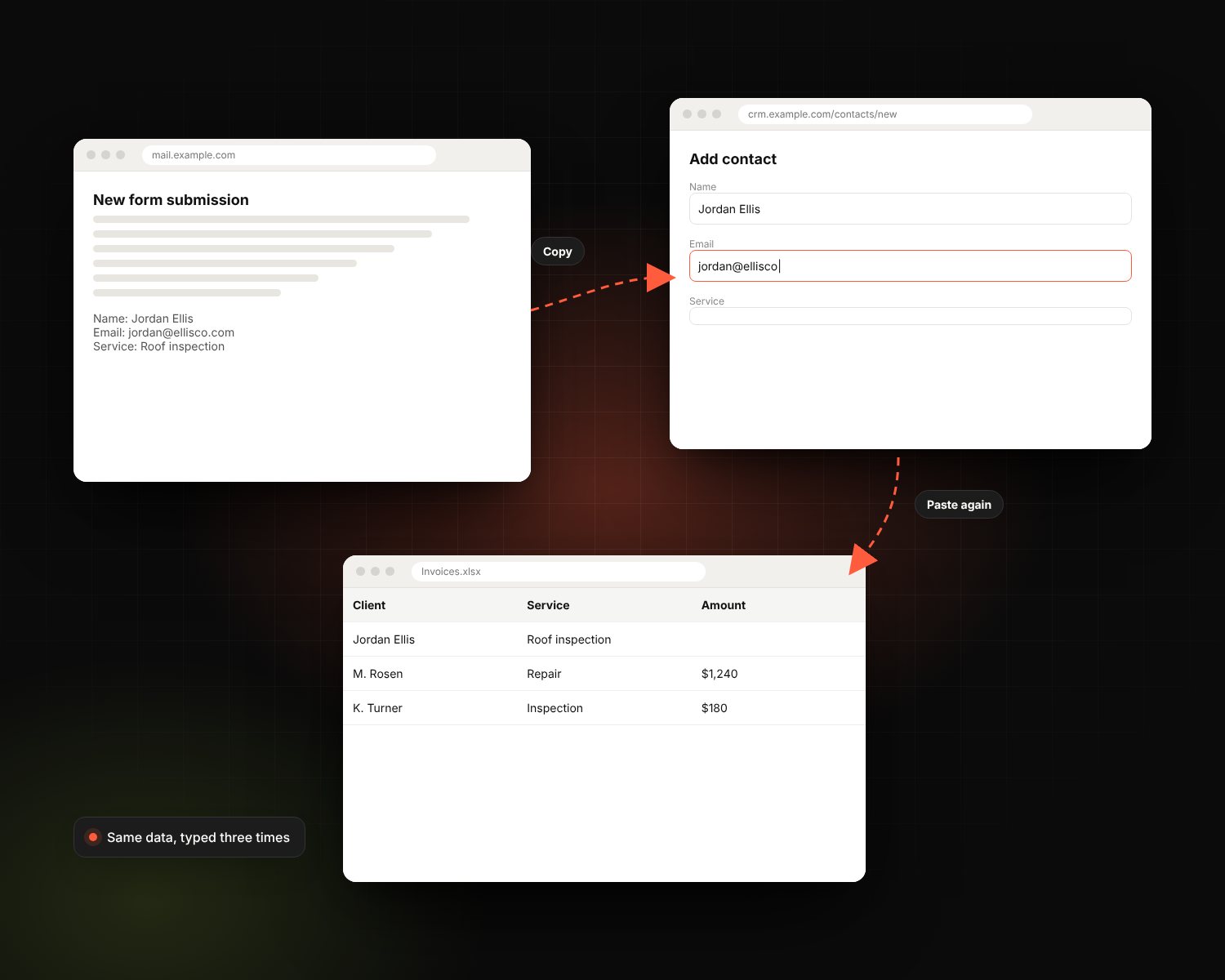
Copying data between systems, chasing follow-ups, building the same report every Monday. Each one is minor. Together they eat hours every week and cause most of the mistakes.
- Re-typing the same data into three systems
- Leads waiting because nobody was assigned
- Invoices, reminders and reports done by hand
- Errors that only surface when a customer complains
Where automation pays off first.
Lead routing
New leads assigned to the right person the second they arrive.
Follow-up sequences
Emails and texts that go out on schedule, and stop when someone replies.
Data sync
CRM, website, billing and spreadsheets kept in step automatically.
Documents & approvals
Proposals, contracts and onboarding packets generated and sent for signature.
Automated reporting
The Monday report arrives in your inbox without anyone building it.
AI-powered steps
Summaries, sorting and draft replies added where judgment helps.
Biggest time savers first.
We rank every manual task by hours saved, so the first workflows pay for the rest.
-
1
Find
We walk through your process and list every manual step, ranked by hours saved.
-
2
Design
Each workflow mapped, including what happens when something fails.
-
3
Build
Automations built and tested with real data before they go live.
-
4
Monitor
Alerts if anything fails, plus monthly reviews for the next win.
What every automation project includes.
- Process audit with time-savings estimate
- Workflow maps you keep
- Integrations between your existing tools
- Error handling and failure alerts
- AI steps where they add value
- Testing with real data
- Documentation for every workflow
- Team walkthrough
- Monitoring and monthly optimization
We connect what you already run.
No need to replace your stack. We wire it together.
- Zapier
- Make
- n8n
- Power Automate
- HubSpot Workflows
- Google Workspace
- Microsoft 365
- Slack
- Airtable
- QuickBooks
- Stripe
- Twilio
Where should we start if we've never automated anything?
Do we have to replace our current tools?
What happens if something breaks?
How do we know it's worth it?
Works even better with
What's eating your team's time?
Tell us what's manual today. We'll tell you what's worth automating first.
Automate my workflows